For
a long time Azure had a feature that permitted the users to see what
was happening when the VM was booting which allowed them to do root
cause analyses for when a VM crashed and stopped booting or any other
issues that could occur in the boot process. This feature is called boot
diagnostics which takes screenshots of your VM console and serial
output so you can do your debugging.
The
problem was that you had the information, you knew what happened and
knew exactly what to do to fix the issue but the only way you could
apply any fix was to download the VHD, boot the VM in Hyper-V, apply the
fix and then re-upload the VM back to Azure and continue. While you
might say that you should have had backups and just do a simple restore;
This is something that’s not always possible.
Microsoft
came up with a solution to this problem with the feature called Azure
Serial Console which provides you with a text based console via COM1
that allows to you to run simple diagnostic operations or start a Bash /
PowerShell session and get on working and the only thing that you need
to do for it to simply work, is just to have boot diagnostics enabled on
the VM.
You
might ask yourself, why did Microsoft take so much time to develop this
while others had it? The answer to the question was security. Other
were using the NPAPI API to tunnel the traffic to the VM which was
deprecated in all the major browsers. The problem was that in a
hyper-scale environment is that you share the underlying infrastructure
with others and a feature like this could be used to siphon data from
one VM or all of them for that matter. Basically Microsoft solved this
problem by developing a new secure way that tunnel the COM1 traffic to
the specific user interface via the Hyper-V VMBus so that you have
access to the VM that you own and not others.
How to use it?
First of all, the VM must have boot diagnostics on. If it’s not enabled then Serial Console will not work:
Then you need to have contributor rights to the storage account (where you enabled the boot diagnostics) and the VM.
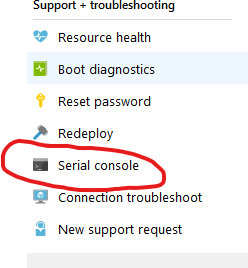
Wherever it is a Linux or Windows VM, simply just go to the portal and press on the Azure Serial Console from the VM blade in the Support + Troubleshooting section
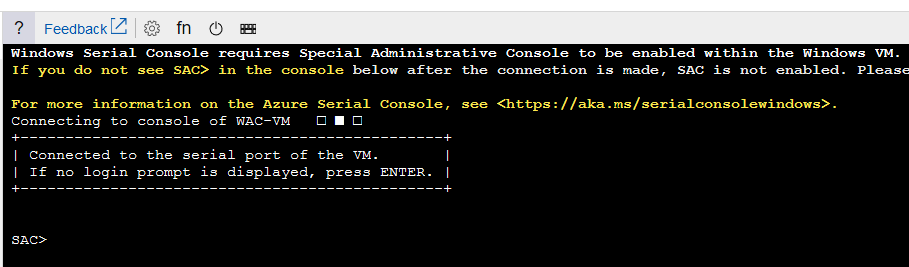
This pops up a screen which shows the dmesg output if it’s a Linux VM or some VM Health reports if it’s Windows. When you press the Enter key it will push you to a login screen where you will need to provide the admin credentials to login to the console.
For
a Windows machine, this process a bit different because Windows by
default doesn’t send output to the COM1 port and Microsoft had to
develop a Special Administrative Console (SAC for short).
The SAC allows you do to simple RCA steps and if needed you can pop up a PowerShell console and rock on fixing it!
The login experience is the same as with a Putty session. The nice part is that you have the option of sending NMIs or other SysRq commands ?
When you get to the SAC> channel, you will need to perform the following to open up a PS Command:
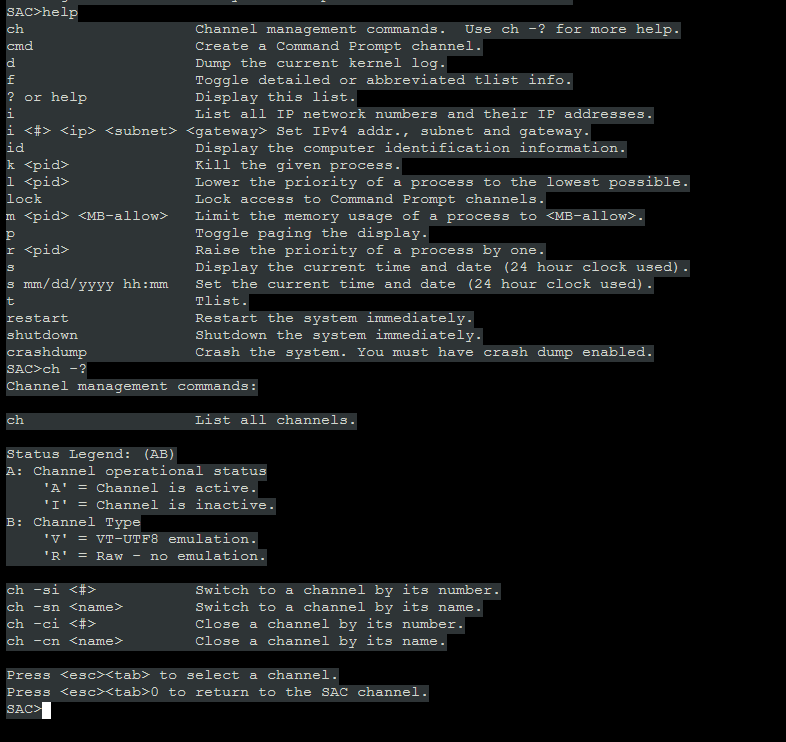
If you type in help and / or ch -h , you will get a list of help items that will allow you to navigate throw the console:
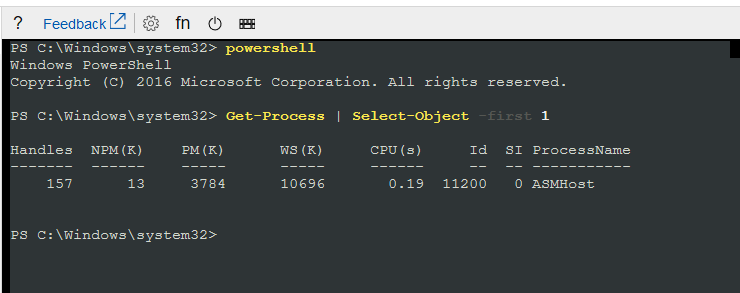
As you can see, in SAC you have some useful commands for Windows and if you want to start a PS session, input the commands as shown below:
cmd # Start a cmd instance on the first available channel, in this case 1
ch -si 1 #change the channel to channel 1
#Enter admin credentials
powershell #Type it in :)
Cool huh? This is a great step forward when it comes to debugging virtual machines because in the past, you only had one way to do that and I mentioned it above. Is it perfect? No, there are some quirks to it but it’s better than nothing ?
Platform guardrails prevent damage but often turn into friction machines. How to design guardrails that actually prevent bad patterns, layer detection and correction, and build platforms developers trust.
APIM isn't just a gateway. It's a governance layer that enforces consistency across AKS, Container Apps, and other platforms. When to use it and when to keep things simple.
If you're still deploying to Azure from GitHub Actions with static credentials in 2026, you have better options. Here's how to eliminate credentials from GitHub entirely using OIDC and workload identity, and why it matters.