I'll be honest; I've been that person who had a Service Principal with Contributor on a subscription sitting in a GitHub secret for way longer than I'd like to admit. I set it up during a late night deployment push, it worked, and I told myself I'd come back and fix it properly; boy, that "fix it later" turned into about eighteen months of pretending the problem didn't exist. The SP had no expiry alert, no rotation schedule, and I forgot which workflows were even using it until one day it expired and three pipelines broke at once. That's basically the problem with static credentials in a nutshell; they work until they don't, and by then you've got a mess on your hands.
I've watched teams deploying to Azure Kubernetes Service from GitHub Actions do it exactly this way ; a Service Principal stored as a GitHub secret, a Personal Access Token, a storage account key; maybe they've rotated them once in the past two years, maybe not. This is 2026 and secretless deployment is mature, supported by every major Azure SDK, and solves the chronic pain of credential management; yet it remains a hard sell, not since it's complicated but since it requires coordinating trust across three systems and understanding why that coordination matters.
If you're tired of credential management and willing to invest in getting it right, this is how.
Secretless doesn't mean "no secrets;" it means no long-lived credentials in GitHub. Instead, GitHub Actions obtains short-lived tokens at runtime using OpenID Connect (OIDC). These tokens are issued by your Entra ID tenant and are cryptographically tied to a specific workflow, repository, and branch; they expire in minutes, not hours, not days.
For me the real shift was this: instead of GitHub storing a credential and using it to request access, Entra ID is directly aware that "this specific GitHub Actions workflow in this specific repository is requesting access," which means there's nothing to leak, nothing to rotate, and nothing that works outside the exact context it was issued for.
The architecture involves four trust relationships:
GitHub → Entra ID: GitHub's OIDC provider is registered with Entra ID. When a workflow runs, GitHub issues a JWT signed with its private key.
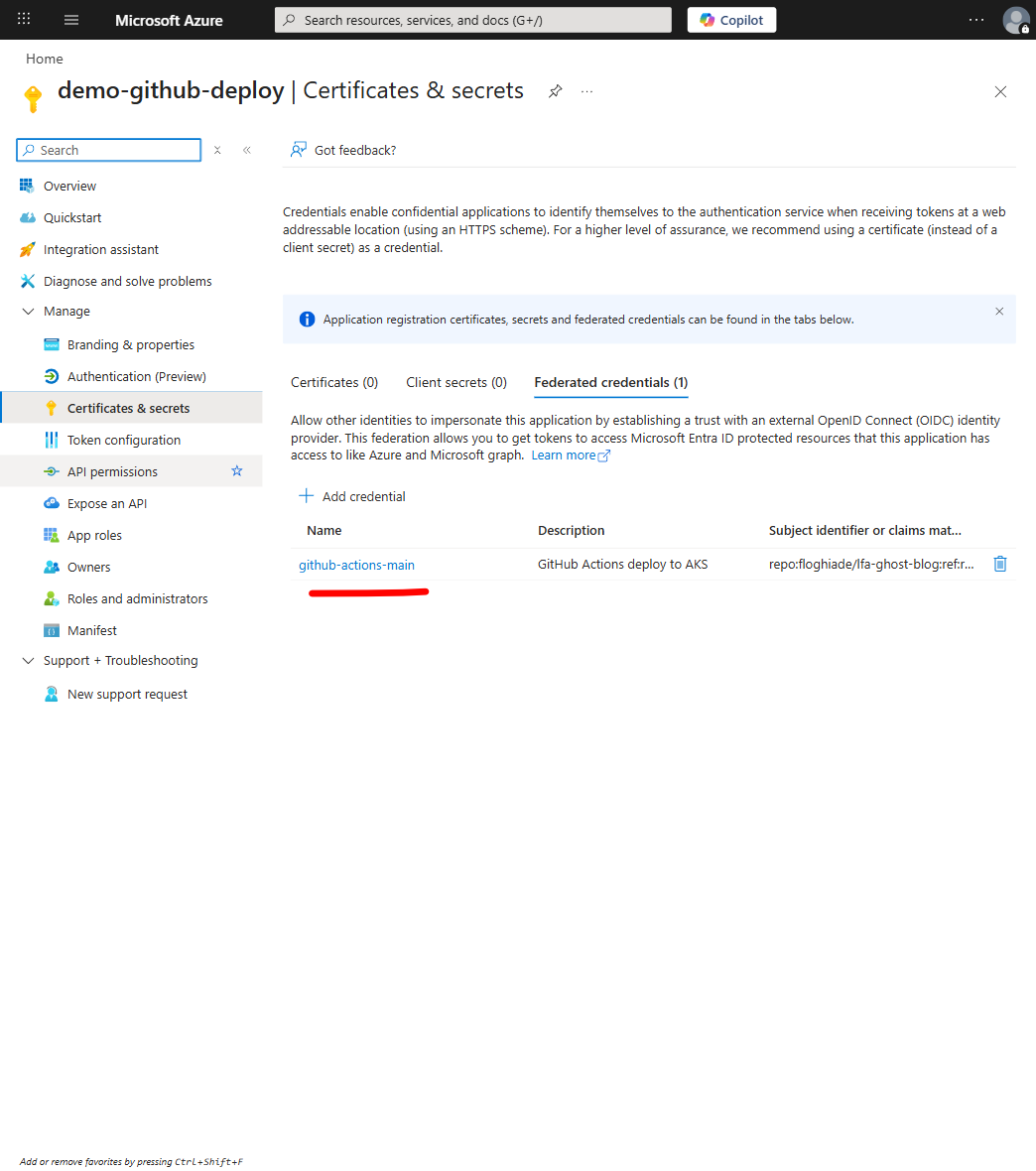
Entra ID → Federated Credential: Your Entra application has a federated credential that accepts JWTs from GitHub's OIDC provider, but only for specific repository/branch/environment combinations (this is where the real policy enforcement lives).
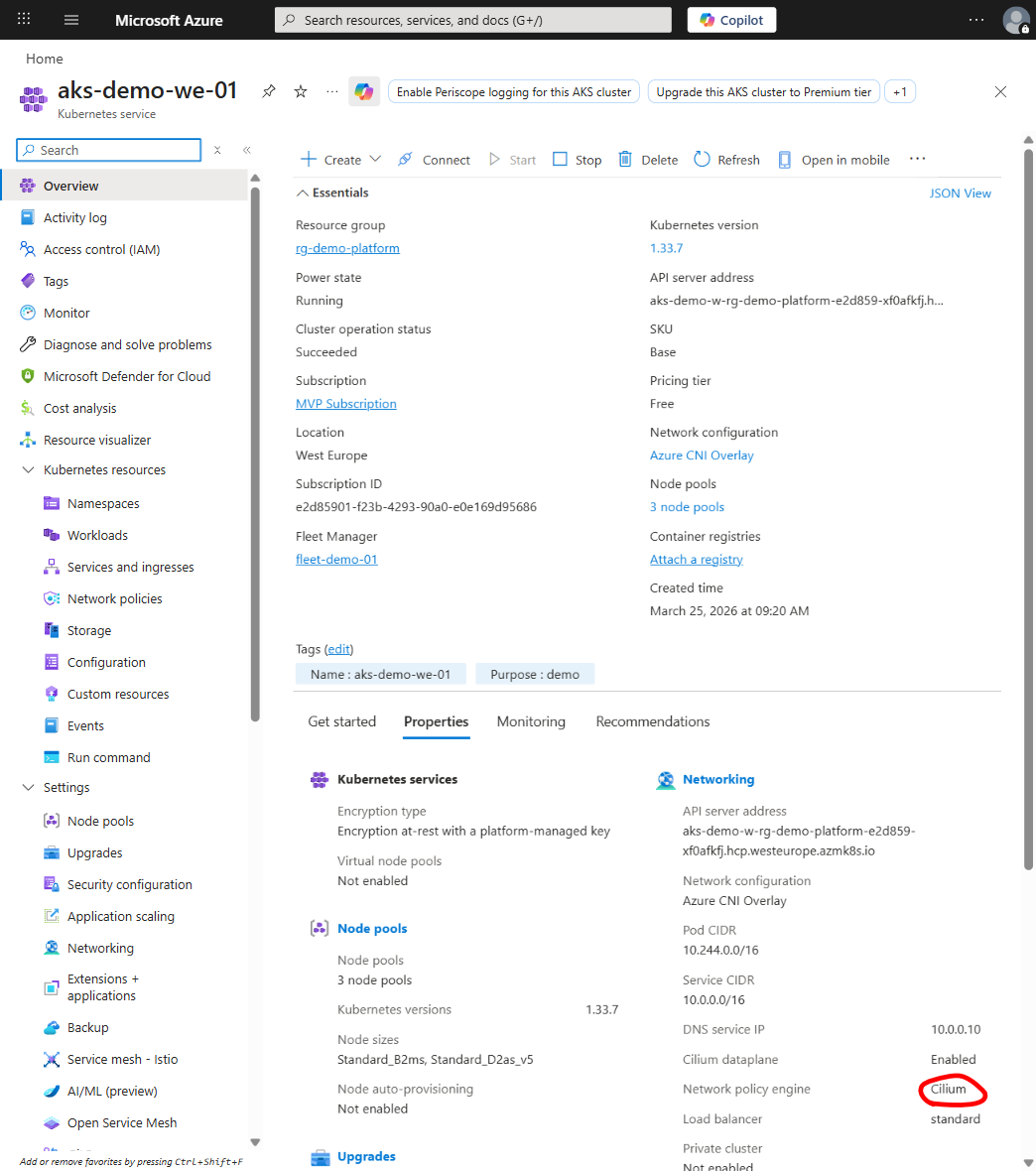
Entra ID → AKS: AKS uses workload identity, where a pod can assume an Entra application identity.
Pod → Key Vault: The pod uses its workload identity to request secrets without storing credentials (no static connection strings, no config files with embedded keys).
None of these involve static credentials, and every single one is time-bound and cryptographically verified, which is the whole point.
Why This Matters
Let me put this in perspective with a quick comparison:
Aspect
Static Credential (SP Secret)
OIDC Token
Blast radius
Full scope of the SP's RBAC
Single workflow run
Rotation needed
Yes, manually or via automation
No, tokens are ephemeral
Audit trail
Limited; you know the SP was used
Full; GitHub run ID, repo, branch, environment
Lifetime
Months to years (let's be honest)
Minutes (duration of the workflow run)
Leakage impact
Attacker has persistent access
Token is expired before they can use it
Here's what it comes down to: a leaked GitHub secret works from anywhere until someone rotates it, and an attacker can use it for anything the credential is scoped to. A leaked OIDC token expires in minutes, only works within a specific workflow run, and Entra ID logs exactly which workflow issued it; an attacker would need to be in the middle of the GitHub Actions runtime to even intercept it.
That being said, this doesn't mean "set it and forget it." You still need audit logging, least-privilege RBAC, network policies, and secrets management hygiene; OIDC is a layer, not a complete solution.
Implementation: Start to Finish
Alright, let's set it up; the whole process takes about an hour if you know what you're doing.
Prerequisites
GitHub.com (OIDC provider is available)
Azure subscription with Entra ID
AKS cluster (1.27+)
az cli, kubectl
Step 1: Register an Entra Application
This is the identity your GitHub Actions workflow will assume ; the starting point for the whole trust chain.
GITHUB_APP_NAME="github-actions-deployer"
TENANT_ID=$(az account show --query tenantId -o tsv)
SUBSCRIPTION_ID=$(az account show --query id -o tsv)

az ad app create --display-name $GITHUB_APP_NAME \
  --query appId -o tsv > app_id.txt

APP_ID=$(cat app_id.txt)
echo "Created app: $APP_ID"
Step 2: Create a Service Principal
az ad sp create --id $APP_ID
SP_OBJECT_ID=$(az ad sp show --id $APP_ID --query id -o tsv)
echo "Service principal object ID: $SP_OBJECT_ID"
This is where you enforce policy. The credential only accepts tokens from a specific GitHub repository and branch; a token minted for your dev branch can't be used to deploy to production, and Entra ID will simply reject it.
REPO_OWNER="myorg"
REPO_NAME="myrepo"
ENVIRONMENT="production"

az ad app federated-credential create \
  --id $APP_ID \
  --parameters '{
    "name": "github-actions-'"$REPO_NAME"'-'"$ENVIRONMENT"'",
    "issuer": "https://token.actions.githubusercontent.com",
    "subject": "repo:'"$REPO_OWNER"'/'"$REPO_NAME"':environment:'"$ENVIRONMENT"'",
    "audiences": ["api://AzureADTokenExchange"],
    "description": "Federated credential for GitHub Actions deployment"
  }'
repo:owner/repo:pull_request (PR runs, which I wouldn't recommend for deployments)
For production deployments, use GitHub environments ; they can have their own protection rules.
Step 4: Grant RBAC Permissions
az role assignment create \
  --role "Contributor" \
  --assignee-object-id $SP_OBJECT_ID \
  --scope "/subscriptions/$SUBSCRIPTION_ID/resourceGroups/my-aks-rg"
Narrow this further if possible; many teams can use Azure Kubernetes Service Cluster User Role instead of Contributor. Actually, most teams should; Contributor is always more than you need for just pushing deployments, and I've seen this go wrong more times than I'd like to admit.
az aks create \
  --resource-group my-aks-rg \
  --name my-aks-cluster \
  --enable-oidc-issuer \
  --enable-workload-identity \
  ...other flags...
For existing clusters:
az aks update \
  --resource-group my-aks-rg \
  --name my-aks-cluster \
  --enable-oidc-issuer \
  --enable-workload-identity

OIDC_URL=$(az aks show \
  --resource-group my-aks-rg \
  --name my-aks-cluster \
  --query "oidcIssuerProfile.issuerUrl" -o tsv)

echo "OIDC URL: $OIDC_URL"
Step 6: Create AKS Workload Identity Federated Credential
You now need a second Entra application for the AKS pod itself (yes, a second one; I know, I know), so you'll have one identity for "GitHub deploying things" and another for "the running pod accessing secrets." Separate concerns, separate blast radii.
AKS_APP_NAME="aks-app-identity"
az ad app create --display-name $AKS_APP_NAME \
  --query appId -o tsv > aks_app_id.txt

AKS_APP_ID=$(cat aks_app_id.txt)
az ad sp create --id $AKS_APP_ID
AKS_SP_OBJECT_ID=$(az ad sp show --id $AKS_APP_ID --query id -o tsv)

NAMESPACE="default"
SERVICE_ACCOUNT="my-app"

az ad app federated-credential create \
  --id $AKS_APP_ID \
  --parameters '{
    "name": "aks-wi-'"$NAMESPACE"'-'"$SERVICE_ACCOUNT"'",
    "issuer": "'"$OIDC_URL"'",
    "subject": "system:serviceaccount:'"$NAMESPACE"':'"$SERVICE_ACCOUNT"'",
    "audiences": ["api://AzureADTokenExchange"],
    "description": "Workload identity for AKS pod"
  }'
apiVersion: v1
kind: Pod
metadata:
  name: my-app-pod
  namespace: default
  labels:
    azure.workload.identity/use: "true"
spec:
  serviceAccountName: my-app
  containers:
  - name: app
    image: myregistry.azurecr.io/myapp:latest
    # Note: AZURE_TENANT_ID, AZURE_CLIENT_ID, and AZURE_AUTHORITY_HOST
    # are automatically injected by the workload identity webhook
    # when the azure.workload.identity/use label is set to "true".
    # You don't need to set them manually.
Step 9: Grant Key Vault Permissions
KEY_VAULT_ID="/subscriptions/$SUBSCRIPTION_ID/resourceGroups/my-aks-rg/providers/Microsoft.KeyVault/vaults/my-vault"

az role assignment create \
  --role "Key Vault Secrets User" \
  --assignee-object-id $AKS_SP_OBJECT_ID \
  --scope $KEY_VAULT_ID
How Does the GitHub Actions Workflow Look?
Now wire it all together ; here's a complete working example:
name: Deploy to AKS

on:
  push:
    branches:
      - main

env:
  REGISTRY: myregistry.azurecr.io
  IMAGE_NAME: myapp

permissions:
  contents: read
  id-token: write  # Critical: allows OIDC token generation

jobs:
  deploy:
    runs-on: ubuntu-latest
    environment: production  # GitHub enforces protection rules here

    steps:
      - uses: actions/checkout@v4

      - name: Log in with Azure CLI using OIDC
        uses: azure/login@v2
        with:
          client-id: ${{ secrets.AZURE_CLIENT_ID }}
          tenant-id: ${{ secrets.AZURE_TENANT_ID }}
          subscription-id: ${{ secrets.AZURE_SUBSCRIPTION_ID }}

      - name: Build and push container image
        run: |
          az acr build \
            --registry $(echo $REGISTRY | cut -d. -f1) \
            --image ${{ env.IMAGE_NAME }}:${{ github.sha }} \
            --image ${{ env.IMAGE_NAME }}:latest \
            -f Dockerfile .

      - name: Update kubeconfig
        run: |
          az aks get-credentials \
            --resource-group my-aks-rg \
            --name my-aks-cluster \
            --overwrite-existing

      - name: Deploy to AKS
        run: |
          kubectl set image deployment/my-app \
            my-app=$REGISTRY/$IMAGE_NAME:${{ github.sha }} \
            -n default

          kubectl rollout status deployment/my-app -n default
Pay attention to permissions.id-token: write and the environment field; the first one is essential because without it GitHub won't generate an OIDC token, and the second is where GitHub enforces protection rules. azure/login@v2 exchanges the OIDC token for an Azure access token automatically. AZURE_CLIENT_ID, AZURE_TENANT_ID, and AZURE_SUBSCRIPTION_ID are stored as secrets but they're just IDs, not sensitive; you could even commit them to the repo and you probably should; it makes onboarding easier.
The Application Code Side
Both major SDK families work the same way. In Python with azure-identity and azure-keyvault-secrets:
And in C# with Azure.Identity and Azure.Security.KeyVault.Secrets:
using Azure.Identity;
using Azure.Security.KeyVault.Secrets;

var credential = new DefaultAzureCredential();
var client = new SecretClient(
    new Uri("https://my-vault.vault.azure.net/"),
    credential
);

var secret = await client.GetSecretAsync("my-secret-name");
Console.WriteLine(secret.Value.Value);
Both SDKs automatically detect workload identity via DefaultAzureCredential, so no extra configuration is needed beyond the Kubernetes annotations and Entra federated credentials; it just works, and that's one of the nicer things about the Azure SDK.
How Do You Migrate From Static Credentials?
If you have existing deployments with stored credentials, migrating to OIDC is lower-risk than you'd think. I've walked three different teams through this now, and the pattern is pretty much the same every time.
Phase 2: Update Workflow (Limited Risk) ; roughly an hour.
Update the GitHub Actions workflow to use OIDC
Run a few manual workflows to verify
Commit updated workflow to a feature branch and test with a PR
Phase 3: Validation (Monitoring) ; give it a day.
Merge workflow changes to main
Monitor Azure Activity Log and Application Insights for new deployment runs
Verify logs show authentication via the new service principal
Phase 4: Cleanup (Safe Removal)
Once you're confident the new workflow is stable:
gh secret delete AZURE_CREDENTIALS
az ad sp delete --id <old-sp-id>
Rollback Strategy: If the new OIDC setup fails, the old static credential still works; rollback is immediate, you just revert the workflow change and redeploy using the old credential. That's the beauty of doing it in phases.
What Goes Wrong? Troubleshooting Common Issues
OIDC Token Exchange Fails: Verify permissions.id-token: write in the workflow, check that the GitHub environment (if used) is defined in repo settings, and ensure the runner can reach token.actions.githubusercontent.com. Also confirm that the Entra application ID in your workflow secrets matches the app with the federated credential; a mismatch here produces a generic "AADSTS" error that doesn't tell you what's actually wrong.
Federated Credential Subject Mismatch: The sub claim in the JWT must exactly match your federated credential pattern, which is the number one thing that trips people up; boy, it's frustrating when it happens. Common patterns:
repo:owner/repo:ref:refs/heads/main (specific branch, exact match only, no wildcards)
Debug by decoding the JWT from your workflow run and comparing the sub claim to your federated credential; a single character off and Entra just says "no."
Pod Can't Access Key Vault: Verify the service account has the correct annotation, then verify the AKS app's federated credential uses the correct issuer and subject, and finally verify the AKS app has the correct role assignment on Key Vault.
kubectl get sa my-app -o yaml | grep azure.workload.identity
az ad app federated-credential list --id $AKS_APP_ID
az role assignment list --assignee-object-id $AKS_SP_OBJECT_ID
Security: Threat Boundaries and Least Privilege
Where's the Network Trust Boundary?
Data flows across several boundaries here. GitHub and Entra are Microsoft-managed, so the part you actually own is the pod-to-Entra boundary.
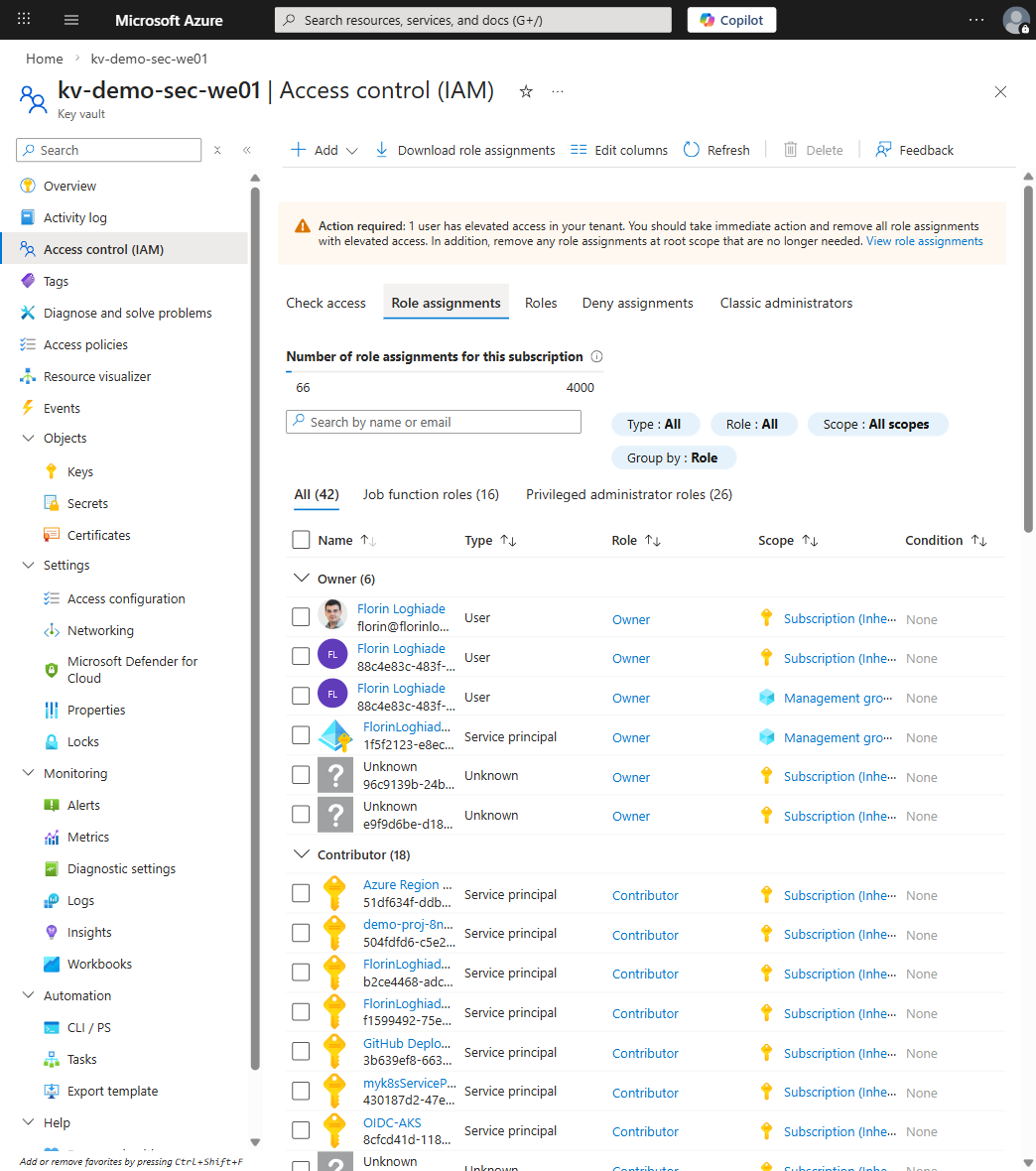
Your Entra app for GitHub Actions has RBAC role assignments that define what it can do once authenticated.
Configuration risk: If your GitHub Actions app has Contributor role on a subscription, a compromised workflow can modify anything. Whatever you do, don't do this; I've seen it in the wild more times than I'd like.
Mitigation: Narrow RBAC to the minimum:
# Instead of Contributor on the subscription:
az role assignment create \
  --role "Contributor" \
  --assignee-object-id $SP_OBJECT_ID \
  --scope "/subscriptions/$SUBSCRIPTION_ID/resourceGroups/aks-only-rg"

# Or use custom roles with specific actions
For multiple services needing different permissions, create multiple Entra apps:
# App for AKS deployments
az ad app create --display-name "github-aks-deployer"

# App for database migrations
az ad app create --display-name "github-db-migrator"

# App for storage operations
az ad app create --display-name "github-storage-operator"

# In workflow, use different apps per step
Attack Vector: Exfiltrate Secrets from Key Vault
Mitigation:
Scope Key Vault access to specific secrets using Azure RBAC instead of vault access policies. RBAC lets you assign permissions at the individual secret level:
az role assignment create \
  --role "Key Vault Secrets User" \
  --assignee $SP_OBJECT_ID \
  --scope /subscriptions/$SUBSCRIPTION_ID/resourceGroups/$RG/providers/Microsoft.KeyVault/vaults/prod-vault/secrets/db-password

az role assignment create \
  --role "Key Vault Secrets User" \
  --assignee $SP_OBJECT_ID \
  --scope /subscriptions/$SUBSCRIPTION_ID/resourceGroups/$RG/providers/Microsoft.KeyVault/vaults/prod-vault/secrets/api-key
az rest --method GET \
  --url "https://graph.microsoft.com/v1.0/auditLogs/signIns?\$filter=appId eq '$APP_ID'&\$top=50" \
  --query "value[].{Time: createdDateTime, Status: status.errorCode, App: appDisplayName}" \
  -o table
Note: Entra sign-in logs aren't in the Azure Activity Log, which is a common mistake; you need Microsoft Graph or the Entra admin center.
Key Vault Access Logs:
Build an automated query that correlates GitHub runs with Azure actions and Key Vault access, and store audit packets in immutable storage (Azure Blob Storage with legal hold); retention should match compliance requirements, which is typically 1 to 3 years.
The Short Version
If you take nothing else from this article:
Use GitHub Environments with protection rules; nope, not optional.
Exact subject matches only ; wildcards aren't supported in federated credentials; one character off and the exchange just fails silently.
Least privilege RBAC on everything; Contributor on a subscription is never the answer.
Separate Entra apps per service ; blast radius matters more than convenience.
DefaultAzureCredential() in your application code; it just works across workload identity, managed identity, and local dev.
Quarterly review of your OIDC setup; orphaned federated credentials are tech debt you don't want.
Wrapping Up
I for one have migrated every project I manage to OIDC at this point and I sleep better knowing there isn't a stale Service Principal floating around in some GitHub secret waiting to expire or leak. The setup takes an afternoon, the migration is low-risk if you do it in phases, and once it's done you just stop thinking about credential rotation entirely; that alone is worth the effort.
Start with one non-critical repository, migrate it fully, document what you learned, and then scale from there. The audit layers (GitHub logs, Entra logs, Azure Activity logs, Key Vault logs) might feel like a lot, but they're what let you answer "who did what and when" without scrambling; and trust me, your auditors will thank you.
Platform guardrails prevent damage but often turn into friction machines. How to design guardrails that actually prevent bad patterns, layer detection and correction, and build platforms developers trust.
APIM isn't just a gateway. It's a governance layer that enforces consistency across AKS, Container Apps, and other platforms. When to use it and when to keep things simple.
Multi-region architecture is sold as inevitable, but it is not. This guide covers when to build multi-region systems, how to choose between active-active and active-passive models, how to design for data consistency, and how to test failover without creating incidents. Written for architects and ...