
API Management as a Runtime Control Plane for AKS and Container Apps
APIM isn't just a gateway. It's a governance layer that enforces consistency across AKS, Container Apps, and other platforms. When to use it and when to keep things simple.


I finished a deployment at 4:47 PM on a Thursday a while back. The cluster was stable, the workloads were healthy, I wasn't thinking about my node image. No one ever is. Then my security team pinged me about a published CVE, and I checked my node status and realized the OS kernel version was no longer going to be supported. The image itself still booted and my pods still ran, but boy, I was now in a state of managed crisis that I didn't sign up for.
In my experience, platform teams almost always experience image retirement as a forced event rather than a predictable operating model. The retirement announcement arrives, the urgency is real, and the uncertainty is immediate: which pools do you migrate? When? What breaks? How long can you run two images side by side? Who owns the decision? Whatever, we'll figure it out as we go, right? :)
I've spent enough time rebuilding nodes and troubleshooting post-migration failures to know this problem isn't about the image itself. It's about the absence of an intentional operating practice around node image decisions and transitions. Every team I've worked with started by treating image retirement as a surprise, a few graduated to treating it as a compliance checkbox. The ones that actually got good at it started treating it as a structural part of cluster governance, where dependencies, test requirements, and version decisions become explicit choices with measurable consequences.
If you're running AKS right now, there's a concrete version of this staring at you: Azure Linux 2.0 hit end of life in November 2025, security patches stopped, and node images get removed entirely on March 31, 2026. The migration path is Azure Linux 3.0 (osSku AzureLinux3; verify the exact value against the current migration guide, as it may just be AzureLinux with the version selected automatically), and if you haven't started testing yet, the window is closing fast.
The goal of this article is to help you avoid that panic. Not to make image transitions easy (they aren't easy), but to make them deliberate, testable, observable, and grounded in real architectural consequences rather than panic scheduling.
An Azure Linux image retirement isn't a cluster unavailability event and it's not a Kubernetes breaking change. Your workloads don't suddenly stop running when an image reaches end of life, but a lot of quiet assumptions in your operational model are about to get expensive.
When Azure announces the retirement of a specific image version, here's what changes:
What doesn't change:
The deception is that you can run a retired image for months and see no obvious problems. Cluster metrics stay stable, deployments roll normally, and it feels fine, right? But you're running in a constrained state where each week increases the surface area of unpatched CVEs, and you're increasingly locked out of platform upgrades that require newer images. Sure, it still works today, but this false stability later becomes a real urgency when migration begins and you discover dependencies you didn't know existed.
Before building a migration strategy, you need precision about what's independent and what's coupled. I've skipped this step before and regretted it, don't make the same mistake.
A Kubernetes cluster is basically a stack of versions: API version, node OS kernel, node image version, container runtime, OS-level libraries, CSI driver versions, CNI plugin versions, daemonsets and addons, and workload assumptions. Not all of these move together, and that's where migrations get tricky.
The key decoupling: Kubernetes version is independent of node image version (new versions support the last 3-4 image versions, old versions may not support brand new images). But container runtime, kernel version, and kubelet are all pinned to the image, so you accept the complete stack when you pick an image. CSI drivers and Azure CNI are loosely coupled but depend on specific kernel capabilities and systemd updates. These dependencies are documented but often discovered during testing (ask me how I know). Daemonsets are coupled to Kubernetes version but may require libraries that only exist in newer images. Most containerized workloads are portable, though some depend on kernel features like seccomp behaviors, cgroup v2, or NUMA awareness.
That being said, the practical consequence is clear: when you retire an image, you're not just picking a new SKU. You're verifying that your complete stack of Kubernetes version, image version, CSI drivers, CNI, daemonsets, and applications have a supported combination.
Before scheduling any node drains, inventory what's actually running and what it assumes. Alright, let's set it up.
Cluster inventory:
# Node pools and image versions
az aks nodepool list --resource-group <rg> --cluster-name <cluster>

# DaemonSets, CSI drivers, and custom agents
kubectl get daemonsets --all-namespaces
kubectl get csidriver
kubectl get pods --all-namespaces --field-selector=spec.hostNetwork=true

# CSI and CNI versions
az aks show --resource-group <rg> --name <cluster> --query networkProfile
az aks show --resource-group <rg> --name <cluster> --query storageProfile

# Kubernetes version
kubectl version
This tells you what's touching the kernel or host network directly, and everything else is likely portable.
Custom agents and dependencies:
Application workload profile:
Target image validation:
The output is a dependency map:
From this map, you identify which migrations are simple (no custom agents, compatible Kubernetes versions) and which are complex (kernel module dependencies, CNI constraints, incompatibilities).
Alright, you've got two approaches here, which are in-place pool replacement and cluster migration. Here's the quick comparison before we dive in:
| In-Place Pool Replacement | Cluster Migration | |
|---|---|---|
| Downtime risk | Zero control plane downtime | Zero if traffic-switched properly |
| Cost overhead | 2x node pool cost during migration | 2x full cluster cost during migration |
| Complexity | Moderate (drain sequencing, taints) | High (two clusters, traffic routing) |
| Rollback speed | Fast (untaint old pool) | Slow (switch traffic back) |
| Best for | Single-cluster, tight availability | Multi-cluster, strict compliance |
| Kubernetes version change | Same version, new image only | Can change both simultaneously |
| Observability | Before/after on same cluster | Separate dashboards per cluster |
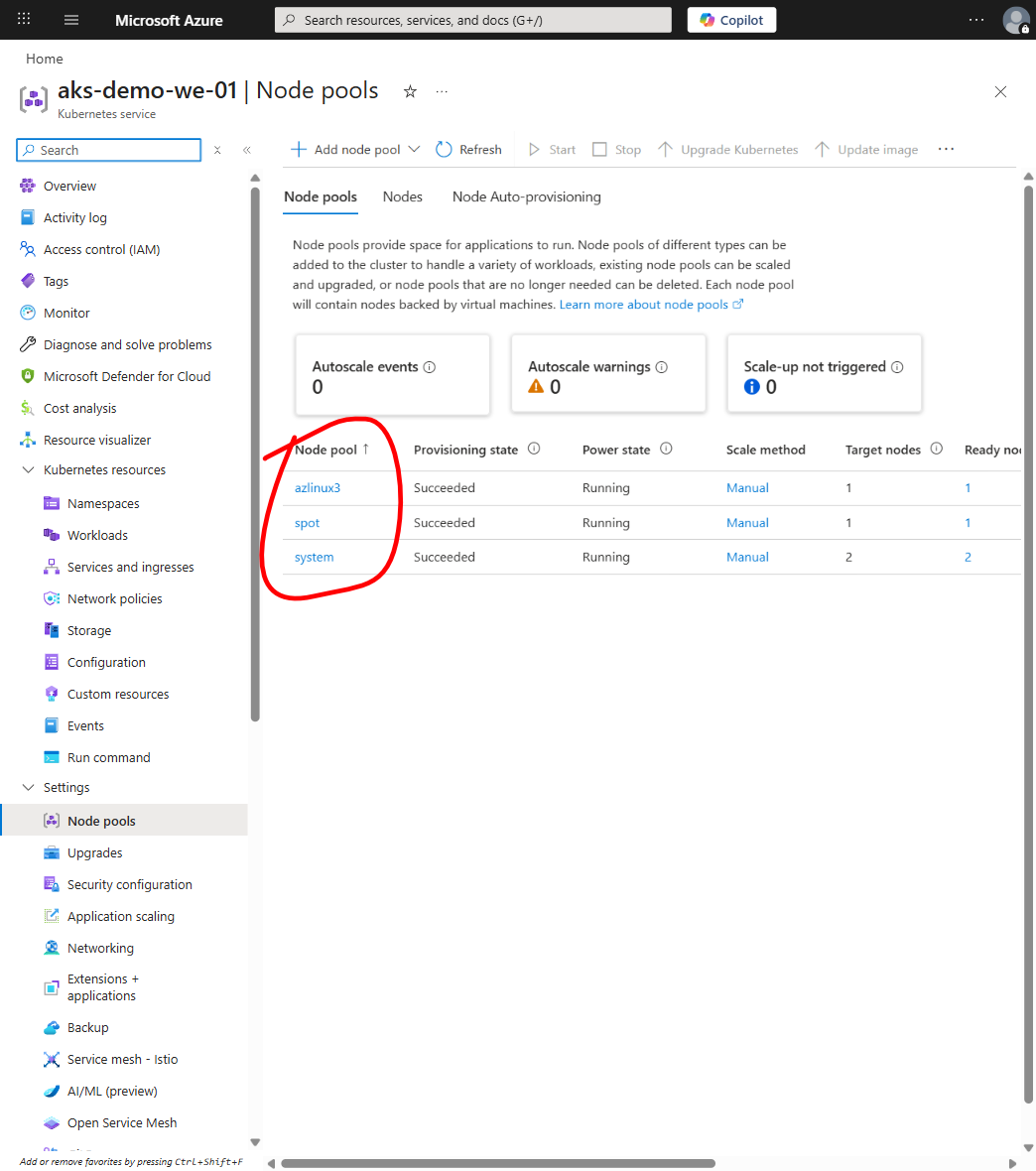
Create a new node pool with the updated image, drain the old pool, and delete the old pool, which is the most common pattern for a single cluster.
Advantages:
Disadvantages:
Mandatory for:
Create a new cluster with the updated image, migrate workloads, and then delete or orphan the old cluster. This is the approach for large migrations or when you need more control.
Advantages:
Disadvantages:
Mandatory for:
For conservative large environments, run old and new clusters in parallel, mirror traffic to new, and gradually shift weight. This trades temporary cost for maximum safety and is common in retail, fintech, and healthcare where downtime is unacceptable.
You can't test everything, but you can test what matters, which is the kernel, the container runtime, persistent storage, networking, and daemonsets.
Kernel compatibility:
Run the new image on a small test pool and verify:
# Kernel syscall behavior
strace -e trace=<syscall> <app>

# Cgroup version (some old workloads expect cgroup v1)
cat /proc/self/cgroup

# Custom kernel modules load cleanly
modprobe <module>

# Network policies work with Cilium or Azure CNI
kubectl apply -f <test-policy>.yaml
Container runtime:
# SSH into test node and verify images work on the new OS
crictl pull <image>
# Run a test pod via kubectl to verify container behavior:
kubectl run img-test --image=<image> --restart=Never -- /bin/sh -c "echo ok"
# Verify stability, memory footprint, startup time
CSI and persistent volumes:
Create a test PVC and verify it provisions, mounts, and unmounts cleanly on the new image. Check node logs for mount errors. This is one of those things that usually works fine but when it doesn't, the failure mode is ugly, pods stuck in ContainerCreating with cryptic mount errors that don't tell you much.
CNI and network policy:
Deploy a test NetworkPolicy and verify traffic is allowed or denied as expected.
DaemonSet compatibility:
Deploy your actual daemonsets (metrics agent, cluster autoscaler, Cilium, etc.) on the test pool and verify they start cleanly:
kubectl get daemonsets --all-namespaces
kubectl describe node <test-node-name>
# Verify no pods in crash loops, no NotReady conditions
Workload testing:
Now, run actual production applications on the test pool for at least one full traffic cycle (24 hours). Observe:
Rollback test:
Drain the test pool and verify:
This is a dress rehearsal for production rollback, and if rollback is slow in test it'll be slower in production, don't skip this step.
You now have a tested new image, and the next phase is actual replacement, which is where most migrations become chaos.
The core problem is that Kubernetes nodes have no atomic replace operation. Draining is a graceful shutdown that depends on workload design, so pods without disruption budgets are terminated instantly, pods with PDBs (Pod Disruption Budgets) wait, and stateful pods may not drain at all.
Step 1: Taint the old pool.
Prevent new workloads from scheduling to the old pool:
kubectl taint nodes --selector=nodepool=old-pool lifecycle=retiring:NoScheduleExisting workloads stay on that pool until you explicitly evict them.
Step 2: Pre-position replicas on the new pool.
For deployments with multiple replicas, scale up slightly so some replicas are already running on the new pool:
kubectl scale deployment <name> --replicas=<current + 1 or 2>This reduces traffic loss during draining.
Step 3: Drain sequentially.
Don't drain all nodes in parallel. Drain them one at a time, starting with non-critical nodes:
kubectl drain <node-name> --ignore-daemonsets --delete-emptydir-data --grace-period=300The --grace-period=300 gives containers 5 minutes to shut down cleanly, which you should increase for workloads with long checkout phases.
Watch the drain output carefully because it'll list pods that can't be evicted, which usually means no PDB allows it or the pod isn't replicated. Investigate these. If they're truly singleton or stateful, you may need to manually evict or accept brief downtime.
Step 4: Monitor the drain in real time.
As pods evict, they reschedule on the new pool, and you need to watch whether the new pool has capacity, whether pods are stuck in Pending state due to insufficient resources, and whether daemonsets are crashing on new nodes due to incompatibility.
If any of these happens, stop the drain, fix the issue, and resume. Autoscaling should add new nodes if capacity is the bottleneck.
Step 5: Delete the drained node.
Once fully drained:
kubectl delete node <node-name>Or let autoscaling delete it, and verify deletion in the Azure portal.
Step 6: Repeat for each node.
Once all old-pool nodes are drained and deleted, delete the pool:
az aks nodepool delete --resource-group <rg> --cluster-name <cluster> --name <old-pool-name>Pod Disruption Budgets (PDBs):
PDBs slow rotation but prevent surprise downtime during drains:
apiVersion: policy/v1
kind: PodDisruptionBudget
metadata:
  name: my-app-pdb
spec:
  maxUnavailable: 1
  selector:
    matchLabels:
      app: my-app
Audit all deployments and add PDBs before large migrations. Use maxUnavailable: 1 for most services and minAvailable: N for stateful services. Without PDBs, every single-replica deployment is a gap where eviction means downtime.
Autoscaler interactions:
If you've got autoscaling enabled, the autoscaler gets confused during migration because as pods evict from the old pool it sees underutilized nodes and scales down, even though you're running two pools intentionally. Give the autoscaler guidance:
# Lower scale-down delay so empty old-pool nodes get removed faster
az aks update --resource-group <rg> --name <cluster> \
  --cluster-autoscaler-profile scale-down-delay-after-add=5m
Or just disable autoscaling during migration and manage pool size manually. I for one have found this is actually less stressful than fighting the autoscaler's opinions about what "underutilized" means during a migration window. Whatever the autoscaler thinks is optimal, it's probably wrong during a migration.
Maintenance windows:
Schedule the migration during low-traffic hours (midnight to 6 AM in your primary region) and outside release windows, and have the team monitor for the first 24 hours after completion.
After you start draining you can't be blind. You need signals that tell you immediately if something's wrong.
Metric signals:
# Pod restart count spike
kubectl get pods --all-namespaces -o json | jq '.items[].status.containerStatuses[].restartCount' | sort | uniq -c

# Stuck pending pods
kubectl get pods --all-namespaces --field-selector=status.phase=Pending

# Node health
kubectl get nodes

# DaemonSet pod failures
kubectl get daemonsets --all-namespaces -o wide
Log signals:
dmesg, /var/log/kern.log): kernel panics or OOM events mean you stop the migration immediatelyjournalctl -u containerd): mount failures, image pull failures, and runtime errors which indicate image-level incompatibilitiesjournalctl -u kubelet): API server connectivity and resource allocation failuresAlerting thresholds:
Rollback decision criteria:
Stop the migration and roll back if any alerting condition persists for more than 5 minutes, if a workload can't be drained because it's stuck in Terminating for longer than the grace period, or if manual testing confirms a hard incompatibility.
To roll back:
# Stop draining immediately
kubectl taint nodes --selector=nodepool=old-pool lifecycle-
Let the autoscaler re-balance workloads back to the old pool, investigate the root cause, and either choose a different image or fix the incompatibility and retrigger the migration.
The goal is simple: if you're going to roll back, do it within the first hour, because the longer you wait the more complex rollback becomes.
Image retirement isn't just a technical problem, it's a coordination problem across multiple teams. That being said, in my experience the coordination is usually harder than the technical migration itself, which is easy to underestimate until you're in the middle of it.
Responsibility model:
Communication cadence:
Start pinging people early. Like 4-6 weeks before the migration, send the announcement with the target window and the dependency list. Ask app teams to actually test their workloads on a test pool (they won't do it immediately, but at least you have a paper trail :)). Around 2-4 weeks out, share what you've found in testing, publish the runbook, and start having the uncomfortable conversations about incompatibilities. A week or two before, you lock the window and get signoffs, and boy, getting those signoffs is sometimes harder than the actual migration. On the day itself, run it with full observability and do a retro after.
Escalation and approval:
Keep this simple: if alerts fire but you fix them within 30 minutes, just keep going. If you need app code changes, get the app team to approve. If you need to delay, loop in security. And if you need to roll back completely, tell management, which is awareness not approval, because at that point you're already rolling back whether they like it or not.
Living runbook:
Maintain a runbook that evolves:
Update after each migration. The first migration teaches you how to run the second.
Now for the most commonly avoided topic, which is the cost of running two node pools in parallel.
Direct infrastructure cost:
Running two pools at 100% capacity doubles the daily cost. So, a cluster costing $2,000/day costs $4,000/day during migration, which means a 7-day migration adds $14,000 in incremental cost per cluster and at scale (10 clusters) that's $140,000.
This isn't optional and there's no way around it.
Ways to reduce cost:
Real cost calculation:
Don't think about it as "extra cost for a week." Think about it as a percentage of annual infrastructure spend, because if annual cluster cost is $1M and migrations cost $200K/year (spread across 4-5 migrations), that's a 20% tax on infrastructure. It's not an anomaly but a line item that belongs in budget planning from day one.
Better: build this into image lifecycle planning, because if you retire images every three years you're doing roughly 15-20 migrations per year at scale, which is predictable cost that you should account for.
Single-replica deployments without PDBs.
A single-replica deployment has no fault tolerance. When you drain the node the pod is evicted and there's a gap before a new instance starts on the new pool, which for customers is downtime, full stop.
Fix: before migration, audit your deployments, scale all critical services to at least 2 replicas, and add a PDB to maintain at least one available.
Testing only on a tiny test pool.
Some teams create a single test node, verify it works, and assume readiness. But a single node doesn't reveal scheduling constraints, resource contention, or autoscaler interactions, which is why the test is misleading.
Fix: test the new image on a pool that matches your actual node size and count. If you run 50-node pools in production, test on a 5-10 node pool.
Running drain and walking away.
Drain can get stuck if pods aren't evictable, and I've seen migrations stall for hours because no one watched and didn't realize a StatefulSet pod was stuck in Terminating state.
Fix: humans must observe the drain in real time. Run the drain in a terminal, watch the output, and intervene if something's stuck.
Draining all nodes in parallel.
If you delete the node pool before all nodes drain, the new pool may not have capacity, which means pods get stuck Pending and the migration stalls.
Fix: drain sequentially. One node, wait for it to fully empty, then move to the next, which takes longer in clock time but is more reliable and shows progress.
No monitoring, discovery during application incidents.
Running the migration late at night with no observability and then finding out the next morning that something's broken, which means that morning is now a production incident involving a node image incompatibility.
Fix: monitor the migration in real time for the first 24 hours, and have someone on call who understands the migration plan and can make quick decisions.
Ignoring daemonset compatibility.
Daemonsets like the metrics agent, network plugin, or security agent can fail if they depend on specific libraries or kernel features. The migration proceeds until suddenly every pod on new nodes can't reach the API server.
Fix: include daemonsets in pre-migration testing by deploying them on the test pool and verifying they start cleanly.
No rollback plan or executing rollback too late.
By the time teams realize the migration's broken, they've already deleted half the old pool, which means rolling back now requires restoring from backups or acknowledging the old infrastructure is gone.
Fix: define explicit rollback criteria before migration starts. If any alert fires, stop immediately and roll back, and keep at least 4 hours of old pool available.
Treating the new image as the only outcome.
Some teams commit publicly to a migration date and push through even when compatibility issues emerge, and the pressure to meet the announced timeline overrides the decision to delay and fix the incompatibility.
Fix: tie the migration date to successful testing, not the calendar. A delayed migration that works is better than a broken migration that met the deadline, so communicate early: "migration date is dependent on test results."
What I've learned is that the real value isn't in running one migration smoothly. It's in turning image lifecycles into a predictable, repeatable practice that your team actually knows how to do.
This requires:
az aks nodepool list every Monday morning (because they'll forget, and the one Monday they skip is the one that matters)When image lifecycle becomes governance instead of crisis response, a lot of operational friction just disappears. Teams plan, platform knows what to prepare, security knows what compliance gates apply, and application teams know they have to test on the new image early and sign off, which means by the actual migration day everyone's ready.
I won't pretend this is simple. It takes two or three painful migrations before the muscle memory kicks in and your org stops treating image retirement like an emergency. But that's pretty much true of every operational practice worth having. The first time hurts, the second time is awkward, and by the third time you've got a playbook that actually works. I for one have seen teams go from "this is a crisis" to "this is a Tuesday" after three rounds, and that transformation is worth the initial pain.
That being said, have a good one!

APIM isn't just a gateway. It's a governance layer that enforces consistency across AKS, Container Apps, and other platforms. When to use it and when to keep things simple.

Network policy is not theoretical; Cilium and eBPF make it practical. Learn when segmentation actually matters, how to observe before you enforce, and why most teams get it wrong at first.

Runtime security is not posture; learn how Defender bridges the gap between admission controls and what containers actually do at runtime, and when the observability it provides actually matters for real threat response.