Ever heard of a jump server or bastion server? No? Well then this post is for you
Before we dive into what’s Azure Bastion, we should understand how things work right now with regular jump servers or bastion hosts.
A jump server/bastion host is a virtual machine/server which sits inside a network with the purpose to allow remote access to servers and services without adding public IPs to them, thus exposing them to the internet.
Access to that jump server can be granted in numerous ways but the most common are:
VPN Access
Public Endpoint with Access Control authentication e.g., Cloudflare Access rules
Public Endpoint with a Just In Time solution
Remote Desktop Gateway access with AD Authentication
The list can go on; The idea is that the endpoint that’s used to access the production network is as secure as possible because it’s being exposed in one way or another.
Most of my deployments in Azure which have virtual machines have a jump server/bastion host configured. The setup looks something like this:
In some cases, there’s a need to have more than two sessions towards that VM so there’s a need for a different solution like a remote desktop gateway service.
The problem with these VMs is that you need to manage them and if you’re doing an audit then they get added in the scope of the audit and you need to explain the whole process of managing those VMs; Starting from regular patch management to security management, risk management, and incident management. These things do not help with your mental health (been through multiple audits like this). The solution to this problem is introducing a managed offering where you don’t do any of those things, just use it that’s it. From here we segway towards Azure Bastion.
What is Azure Bastion? (Preview)
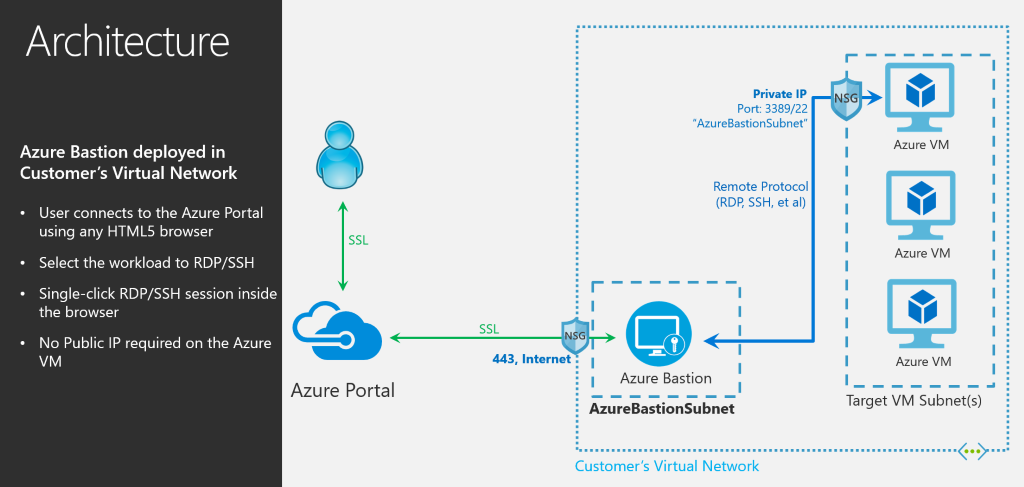
Azure Bastion is Microsoft’s answer to jump servers/bastion hosts with a PaaS offering that you deploy in a VNET from the marketplace. Simple as that.
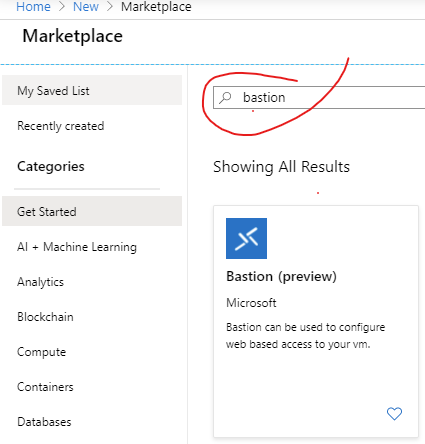
Marketplace
The beauty of this solution is that you get “direct” connectivity to the VMs that you want to login to using RDP / SSH, no double hop or any of that nonsense.
With a Jump-Server-as-a-Service, you don’t need to do any more patch management, security management, scaling and all other things that are associated with something like this. Plus in case of an audit, you can just say that it’s managed by the cloud provider and you’re done with it ?
source: Azure blogs
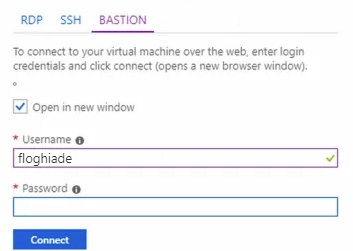
What you need to do when you want to login to a VM securely using Bastion is to just go towards the VM blade, press connect and select Bastion. From there you input your credentials and a new tab pops up.
Deploying the Bastion:
The experience from the portal is pretty good. You need to go to the marketplace, type in “bastion” and select create.
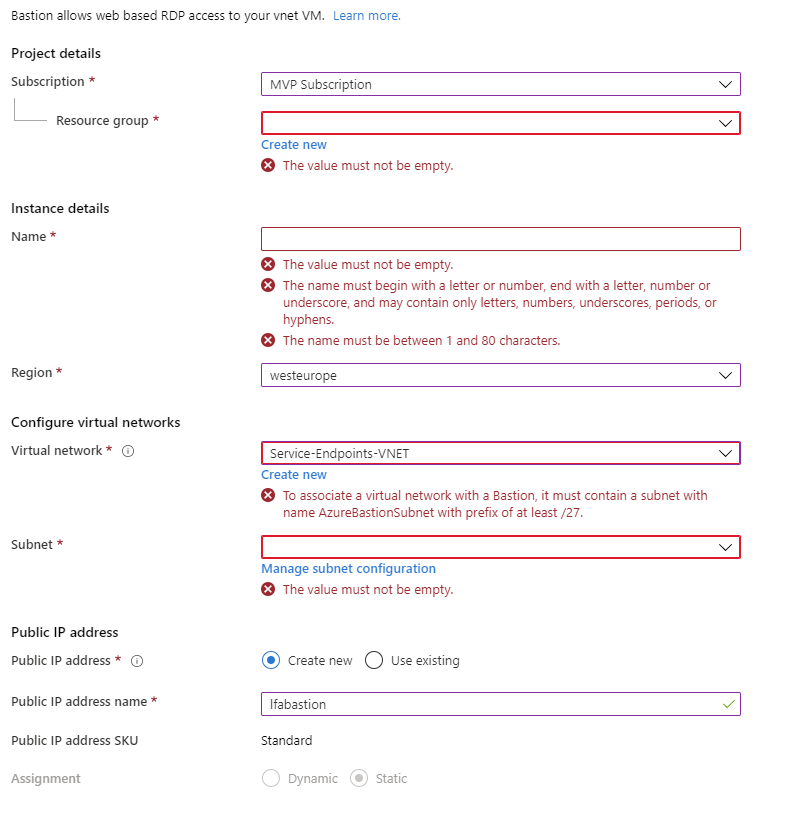
From there you will encounter the blade from below:
Deployment configuration experience
From there you walk through the steps and press on create. At this point in time, you cannot specify a different subnet than the AzureBastionSubnet and if you create one it has to have exactly that same name other it won’t work. This is a small inconvenience and, probably a button or a quick create option will appear in the future; For this, I quickly cooked up an ARM template that you can adapt to your needs?
After the deployment is finished, go to the VM, press on connect, select Bastion, input your credentials and press connect.
Connecting to the VM:
That’s it basically; It’s quite simple to deploy and use the Azure Bastion offering.
Some issues with the current offering but on the roadmap:
VNET Peering is not supported
No Seamless SSO
No AAD Integration -> No MFA challenge and such
No native client support -> need browser access to the portal
Are they deal breakers? Yes and no. I would have loved out of the box support for VNET peering but fingers crossed:)
That being said, have a good one and ARM template is below ?
ARM Template for 1-click deployment for Bastion services
Platform guardrails prevent damage but often turn into friction machines. How to design guardrails that actually prevent bad patterns, layer detection and correction, and build platforms developers trust.
APIM isn't just a gateway. It's a governance layer that enforces consistency across AKS, Container Apps, and other platforms. When to use it and when to keep things simple.
If you're still deploying to Azure from GitHub Actions with static credentials in 2026, you have better options. Here's how to eliminate credentials from GitHub entirely using OIDC and workload identity, and why it matters.